
Built for the UMD Department of Psychology

Help every student find their way into the major.

Students don’t always know which opportunities, people or resources to look for. Major Commons gives them one department-specific starting point: understandable information, connections to their interests and clear next steps. Department staff review everything students see.

The demo uses fictional records and can’t be changed.

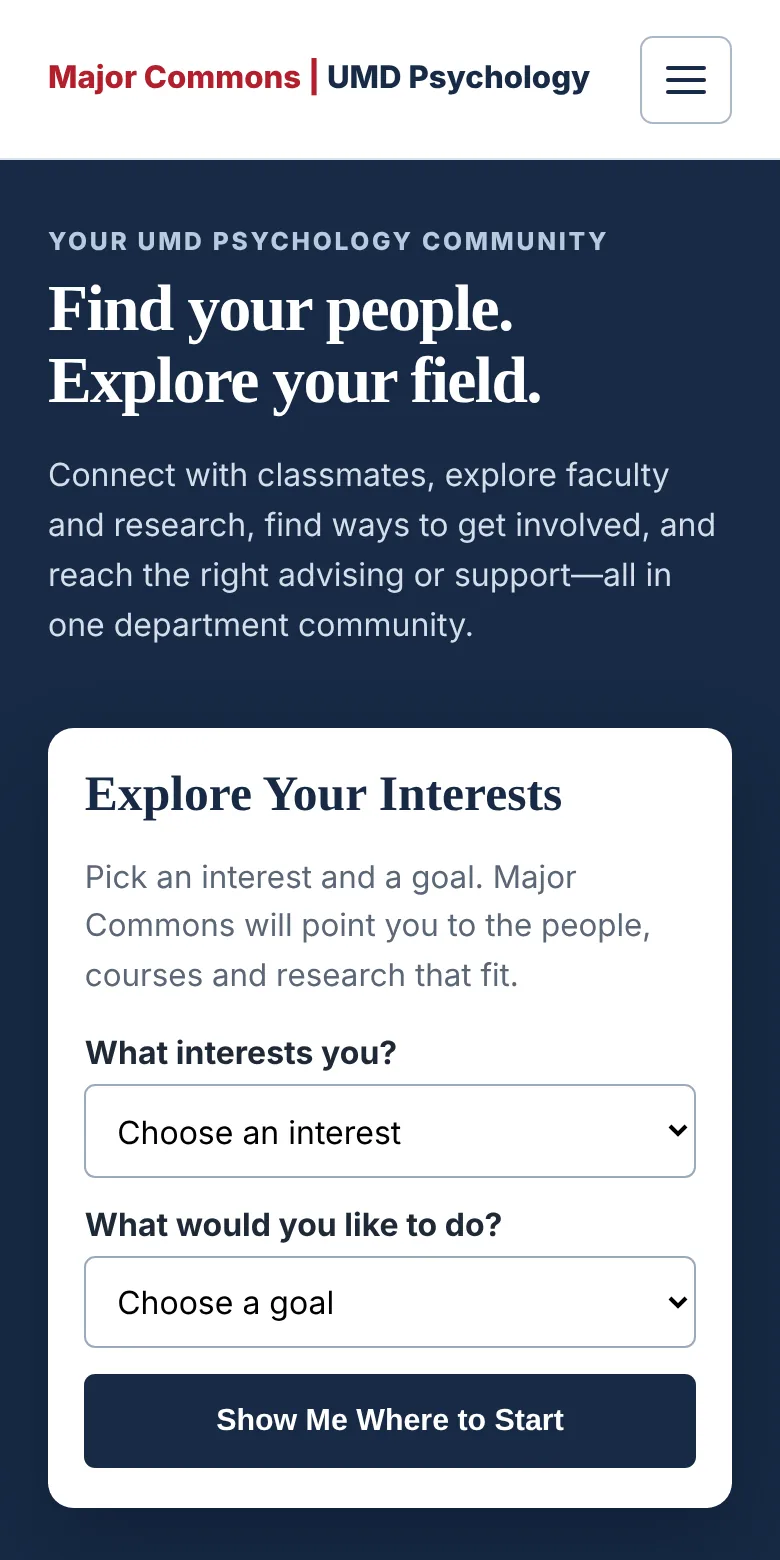
The Major Commons home page on a phone, headed “Find your people. Explore your field.” with an Explore Your Interests form below.

For students

Everything a major needs, in one place

Students start from their interests instead of needing to know a faculty name or a program title first.

  • Explore Your Interests

    Pick an interest and a goal. Major Commons points to the faculty, courses, research and careers that fit.

  • Faculty & Research

    Plain-language profiles of faculty and their work, linked to the official sources.

  • Research Openings

    Undergraduate openings that faculty have confirmed, with what to prepare and how to apply.

  • Study Groups

    Find or start a group for a course, then plan meetings and chat with members. Browsing needs no account or email.

  • Happening Soon & Get Involved

    Reviewed events, deadlines, programs and organizations, each linked to official information.

  • Careers, Advising & Support

    Careers and graduate school by interest area, and which office to contact for academic or personal support.

Badges mark research openings, events and group messages that are new since a student’s last visit.

Today in Psychology

A reason to come back every day

Word of the Day
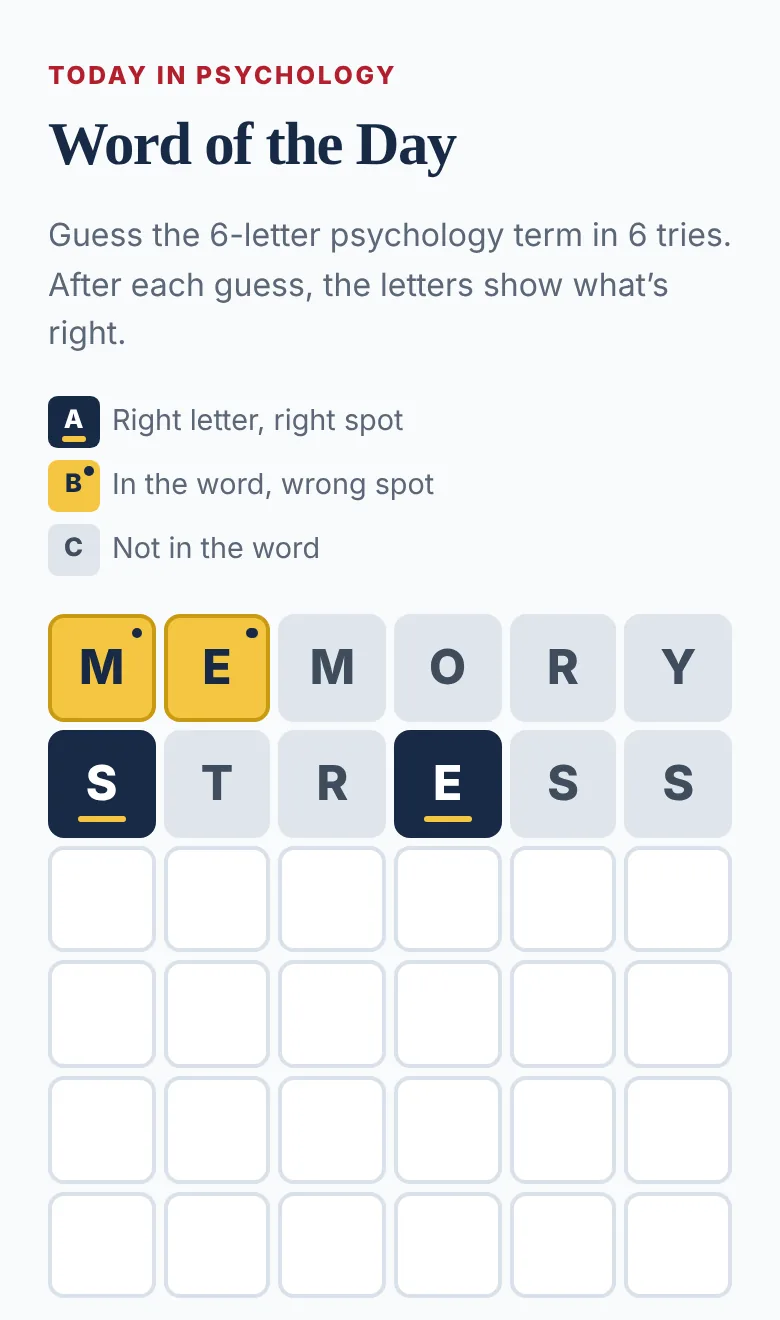
A daily puzzle built on a psychology term, followed by its definition and where it shows up in the field.
Good News
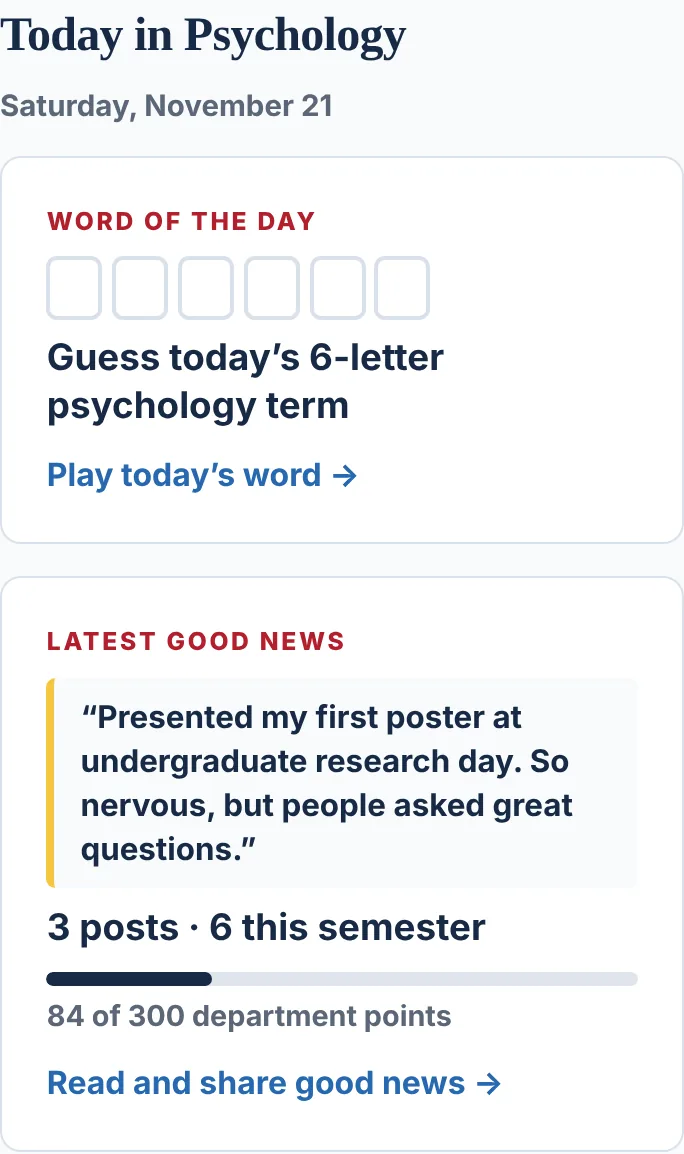
Students share wins without their names. Staff approve each post, and every post and like adds to a goal the department reaches together.
Word of the Day on a phone, with two guesses scored on a six-letter board.
The Today in Psychology band: a Word of the Day tile and the latest Good News post, with progress toward 300 department points.

For departments

Easy for staff to keep current

  • One To do list. Faculty check-ins, new events, expiring listings, reported messages and feedback wait in one place. Finishing one item opens the next.
  • Faculty keep their own profiles current. A short check-in lets faculty confirm details or ask for changes. Nothing they send is published until staff review it.
  • Nothing goes public by accident. Every change stays a draft until someone chooses Publish, and listings come down on their own when their dates pass.
  • A report for the chair. The Evaluation report shows what students did, what faculty offered and the staff time it took, with a PDF to share. Small numbers are hidden for privacy.
  • Training built in. A guided walkthrough and a practice copy with fictional records let new staff learn without touching real ones.
An illustration of the To do list: items waiting on staff, and a question waiting for a faculty member’s reply.

Privacy and accessibility

Careful with students from the start

Private by design

  • Students don’t need an account. Browsing needs no name or email.
  • Major Commons doesn’t track what students open or read. What counts as “new” is remembered only in the student’s own browser.
  • Group chat messages are deleted automatically after 90 days.
  • Research participation is optional, separate from using the app, and only with consent and the required approvals.

Accessible for every student

  • Built to meet WCAG 2.2 Level AA, and checked on phones and desktops in light and dark mode.
  • Automated accessibility tests run on every interface change and every week.
  • An accessibility conformance report is available on request.

Pilot

Start with a one-semester pilot

Major Commons was built for the University of Maryland Department of Psychology, where a pilot is planned for spring 2027. Other departments can start the same way.

  1. We set it up for your department

    Your faculty, courses, interest areas, resources and official links, in your department’s name and colors.

  2. Faculty confirm their profiles

    Each faculty member checks their profile and research availability through a short check-in.

  3. Students use it for a semester

    Staff keep everything current from the To do list.

  4. You see what it did

    The Evaluation report brings together student use, faculty participation and staff time for the chair.

Contact us about a pilot

Tell us about your department and we’ll set up a time to talk.